
Build Your Manufacturing Foundation
Before production can run, your setup must be solid. Define operations, configure workstation types, register physical machines, and chain them into routing templates that your BOMs and work orders depend on.
Everything You Need to Configure Your Production
The Manufacturing Setup module establishes the building blocks for all production activity. Configure it once and every BOM, work order, and job card benefits from a consistent, well-defined foundation.
Operations
Define manufacturing steps once and reuse them across all products for consistent production and accurate costing.
Workstations
Configure every machine with cost rates and capacity tracking for accurate production costing and shop floor management.
Workstation Types
Group machines under shared categories so a single rate update applies consistently across your entire facility.
Routing
Build reusable production sequences and apply them to any product with automatic step and cost inheritance.
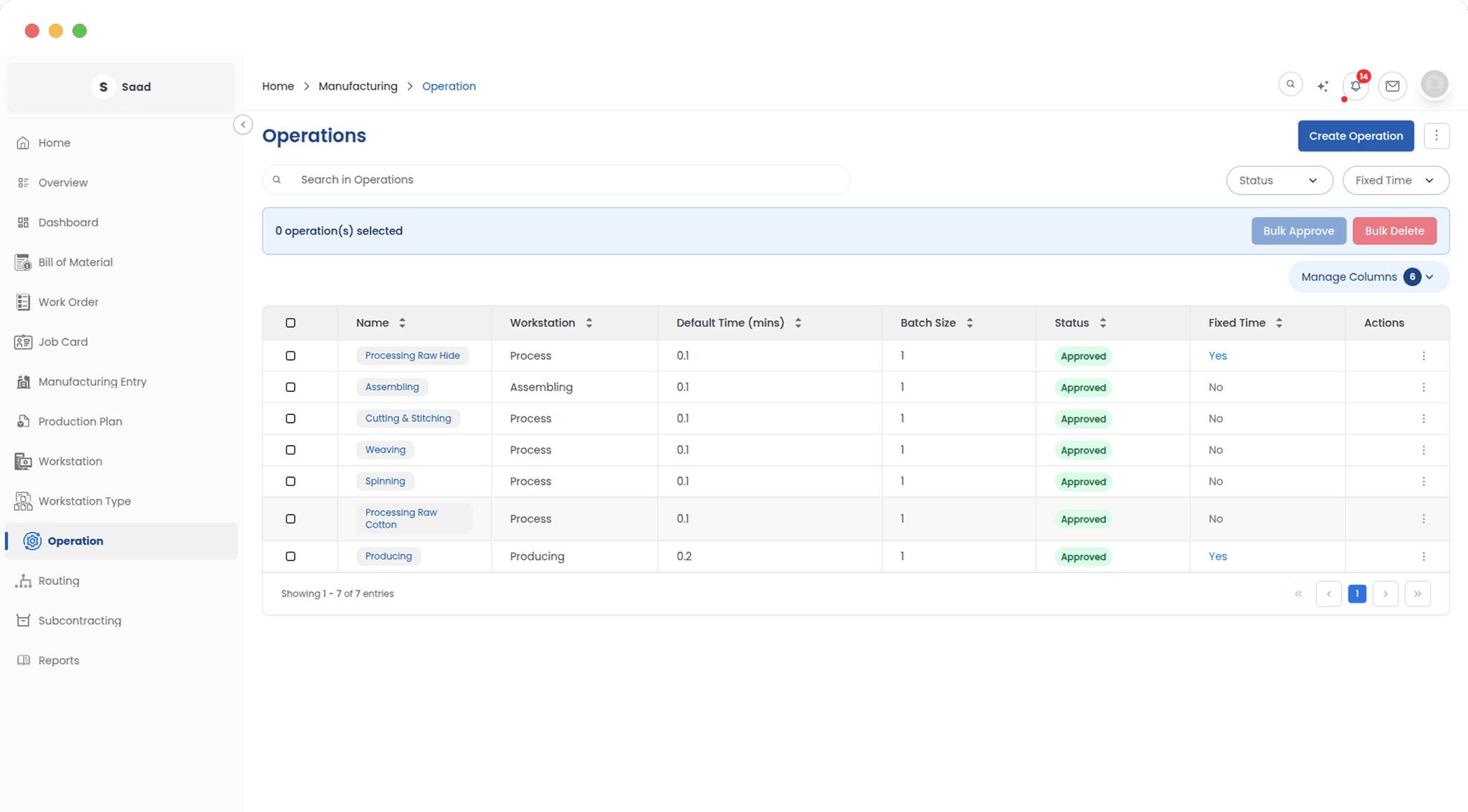
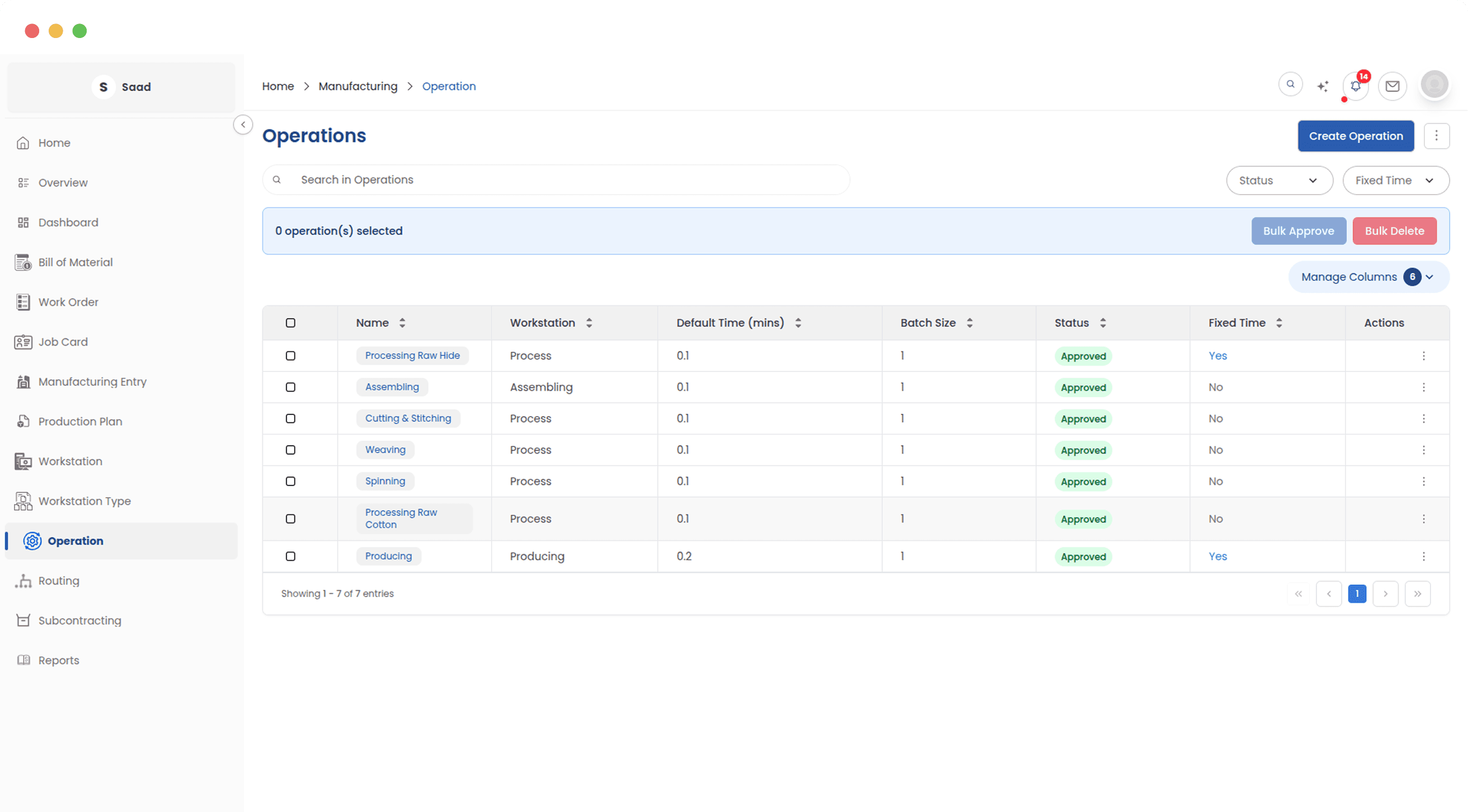
Manage every production step
This is where you manage every manufacturing step your organization performs. Approved operations are instantly available across products, while drafts stay safely isolated until ready.
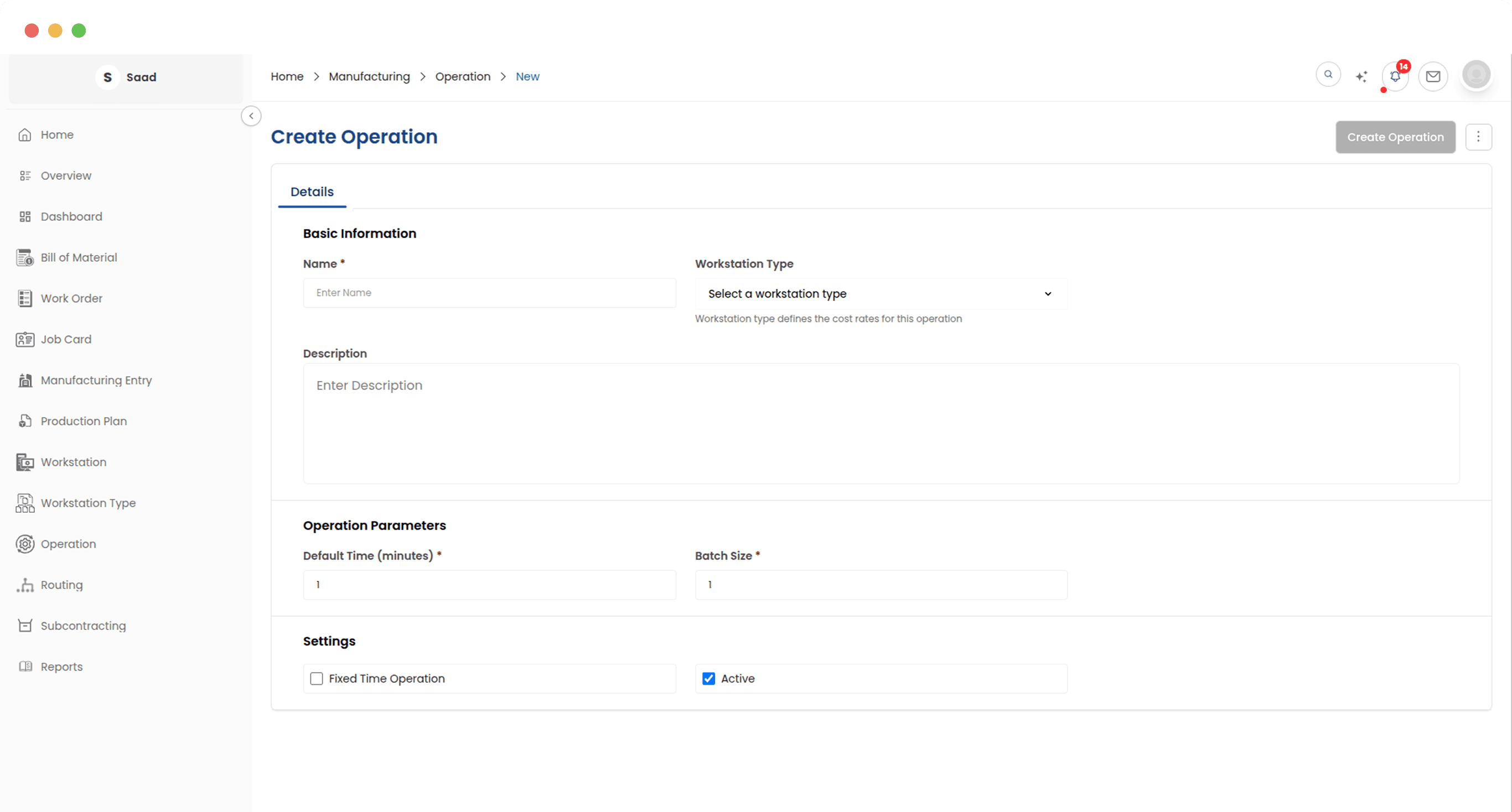
Configure time, machines, and batches
Each operation captures everything needed to execute and cost a production step: the machine it runs on, how long it takes, and how many units are processed at once. The system handles accurate cost calculations automatically.
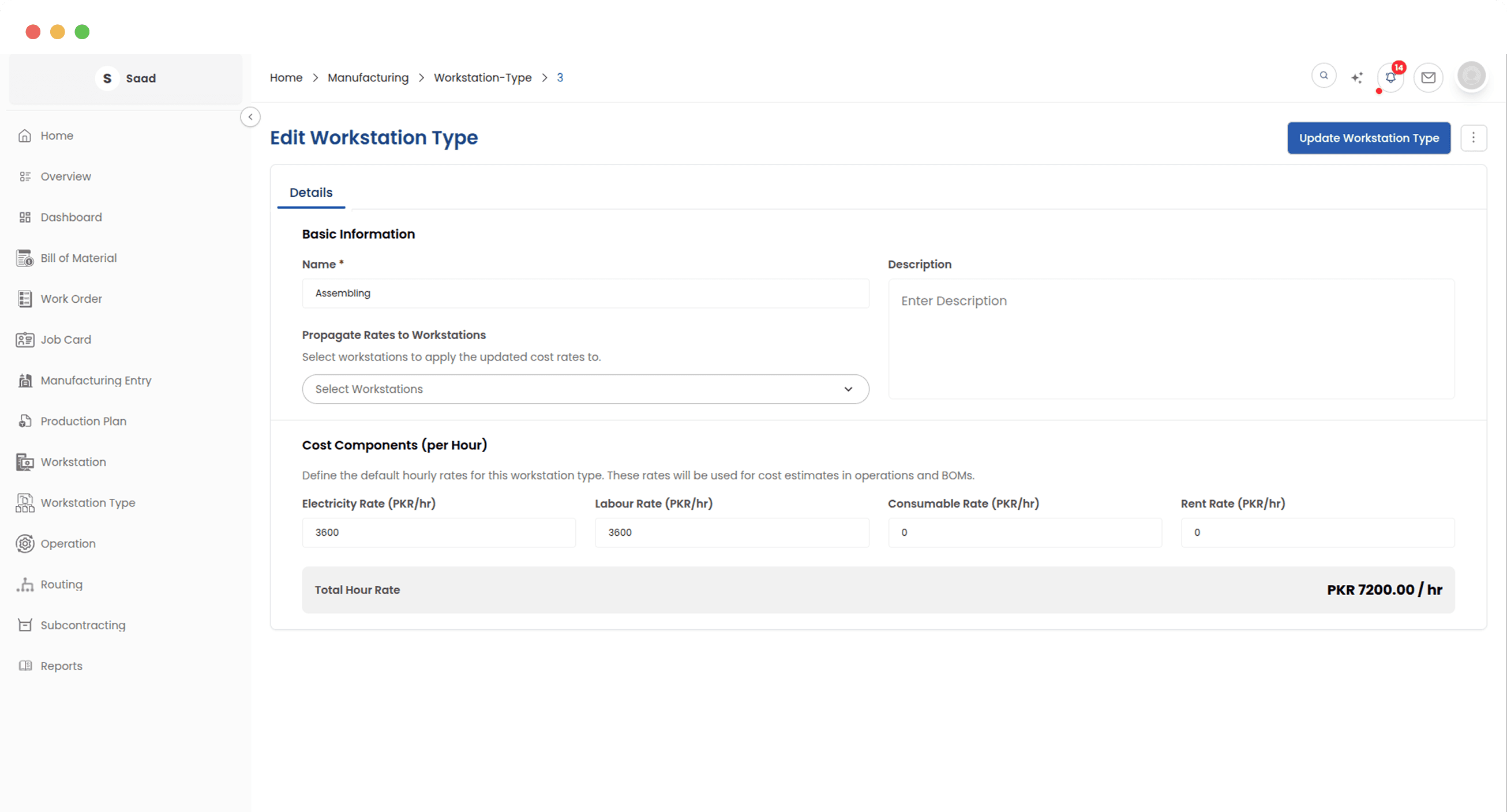
Categorize your machines by type
Group your production equipment into logical categories: CNC machines, assembly lines, finishing stations, and more. Shared cost rates flow automatically to every machine in each category, keeping your facility costing consistent at scale.
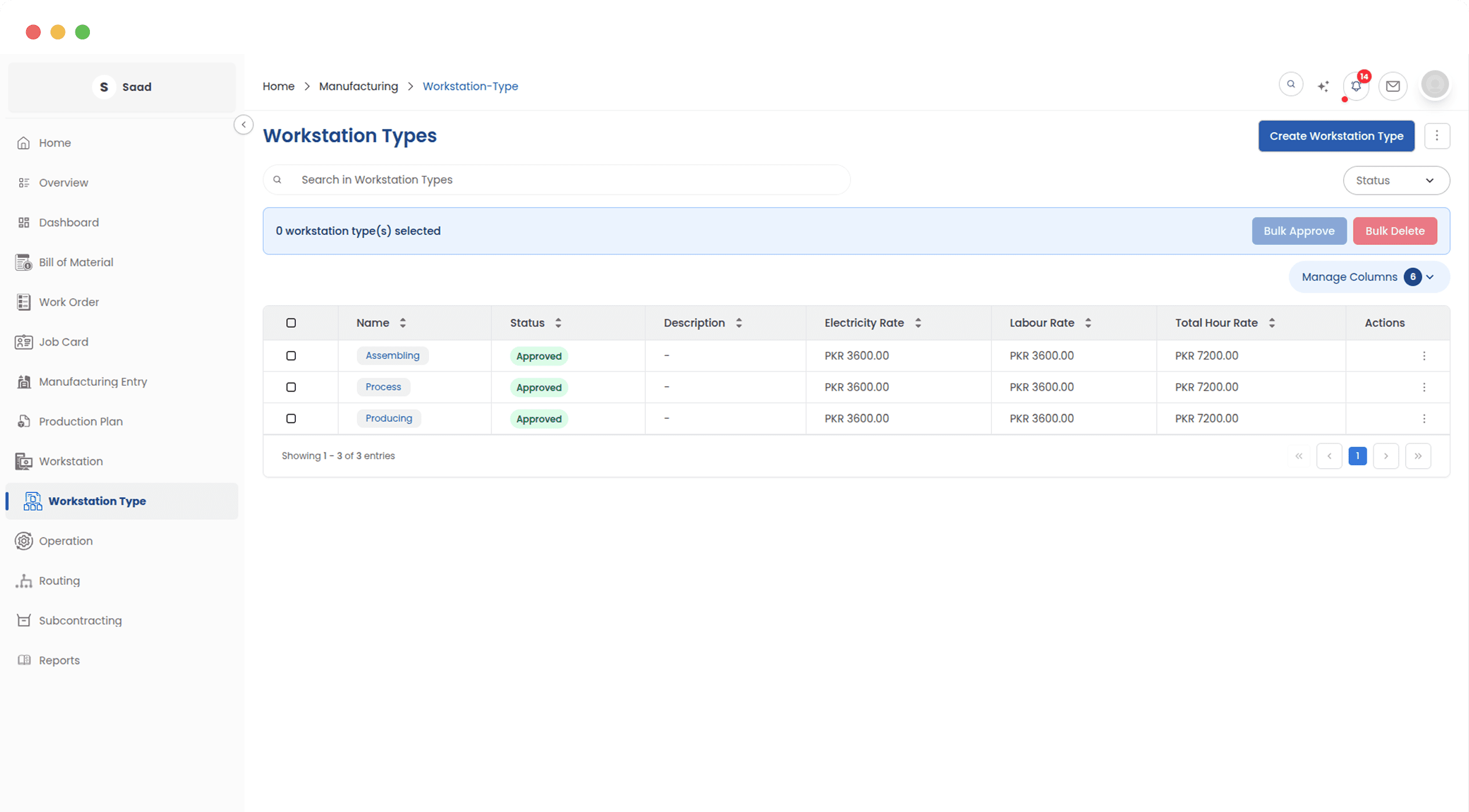
Centralize cost rates across machines
Factory costs are a major business expense. Centralizing rates at the type level means one update instantly reaches every linked machine, keeping your product costing accurate without the overhead of editing each individually.
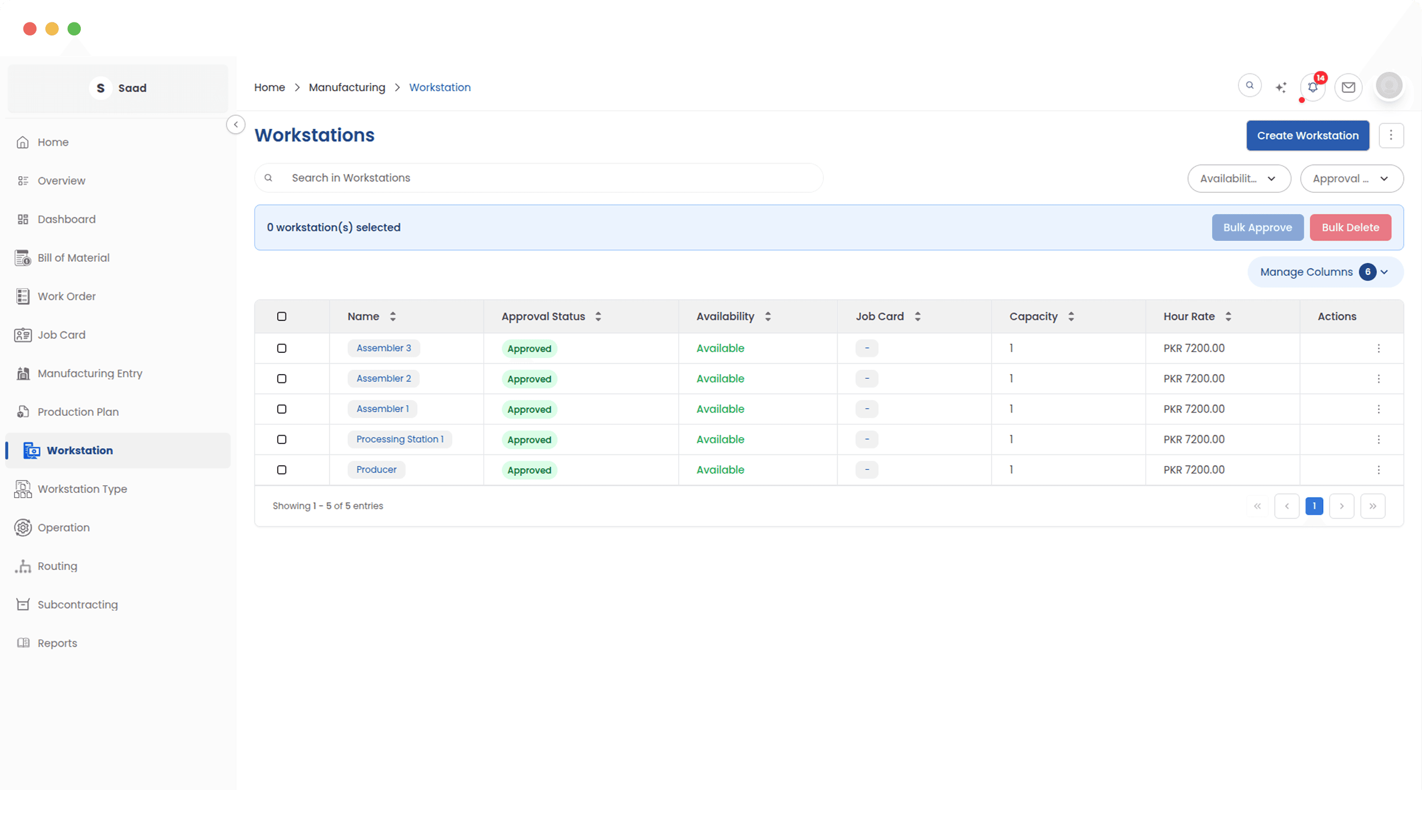
Monitor your entire shop floor
Get a live view of every machine across your facility: what is available, what is under maintenance, and what is at capacity, so production is always directed to the right resources.
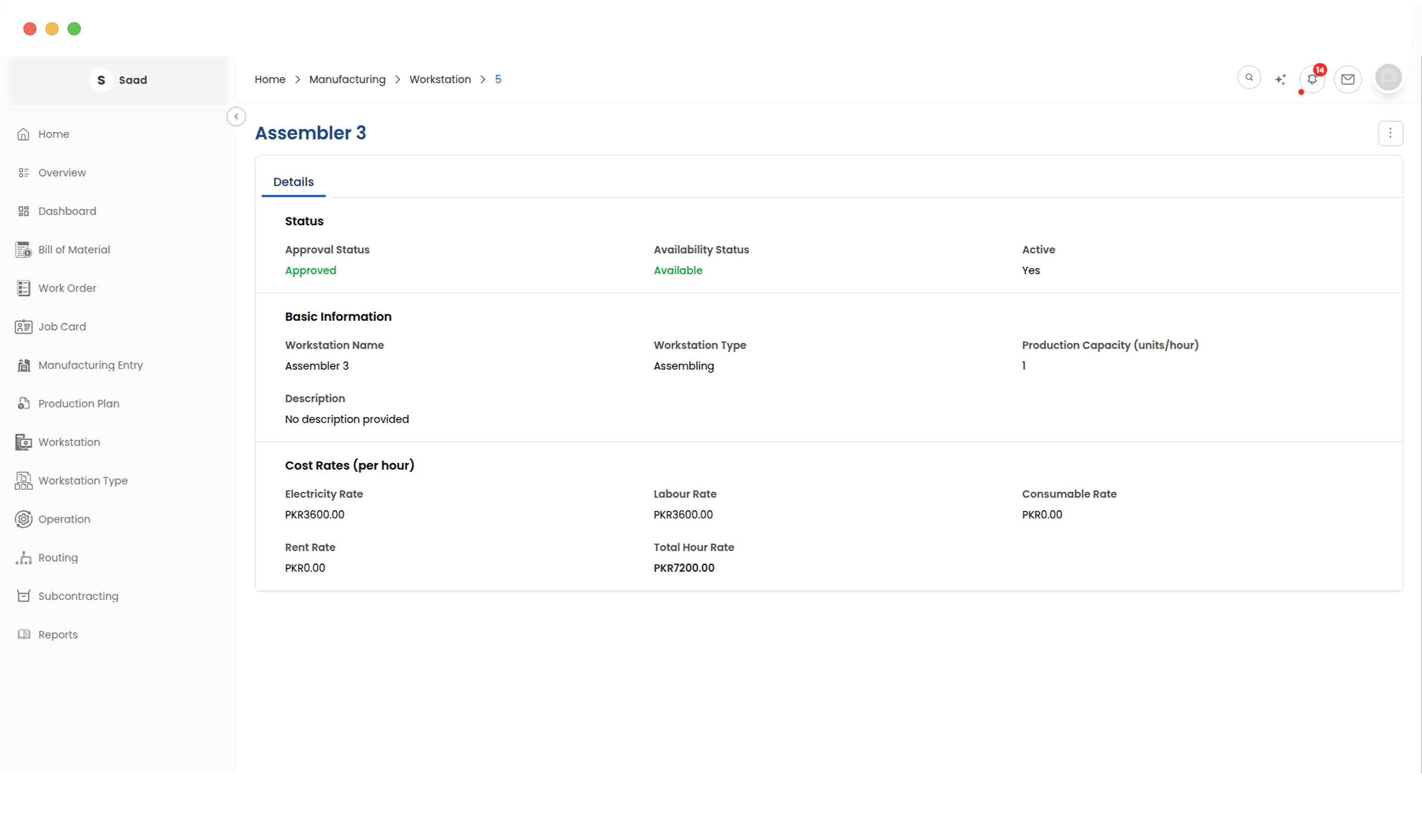
Configure capacity, costs, and utilization
Each workstation is configured with its own capacity and cost rate, broken down by component. This ensures every production task is costed accurately, reflecting the real economics of running your shop floor.
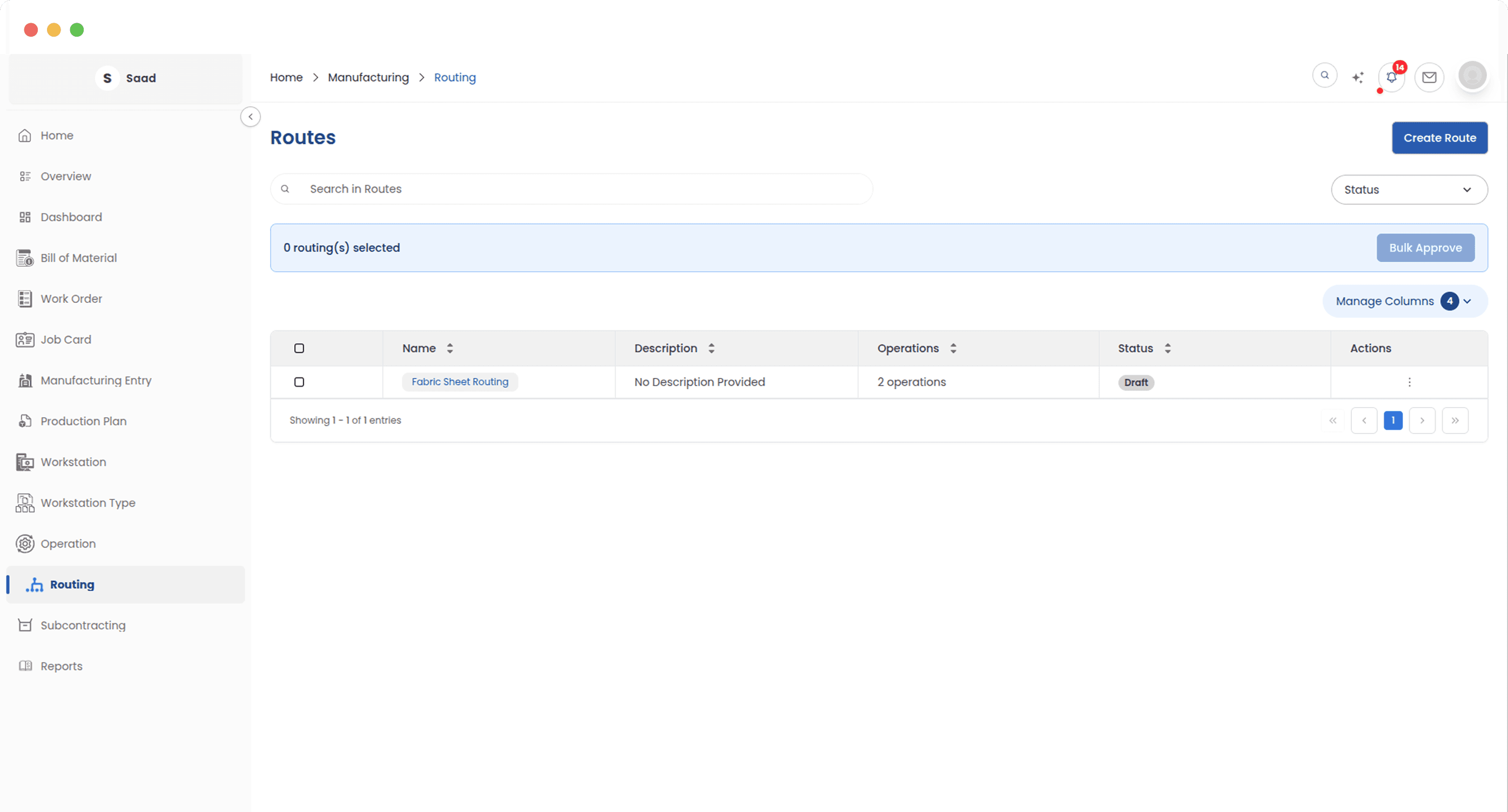
Organize and approve production sequences
Routings are the backbone of standardized manufacturing, capturing your proven production sequences so they can be applied consistently across every similar product.
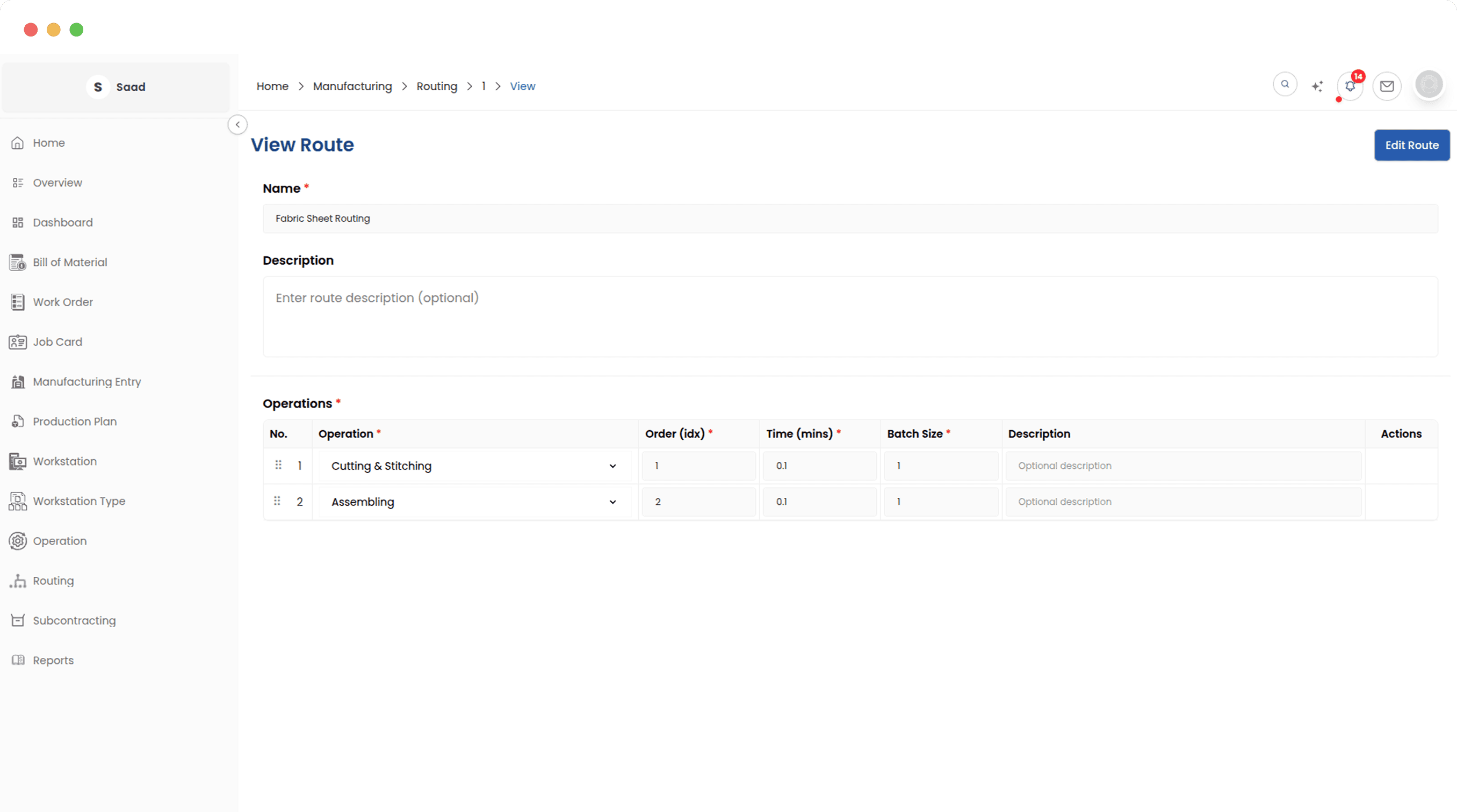
Build step-by-step production sequences
Build ordered production sequences from first cut to final finish. Apply any routing to a product and all steps are set up instantly, giving you consistency across your product range and flexibility wherever you need it.
Built for Precision, Designed for Scale
From a single workshop to a multi-line factory, the Manufacturing Setup module provides the structured foundation your production team needs to operate consistently and efficiently.
Explore More in Manufacturing
See how ERPX can transform your business
Streamline operations, boost productivity, and make smarter decisions with ERPX