
Manufacturing Reports & Analytics
Every production decision should be backed by data. ERPX manufacturing reports give managers, planners, and finance teams a clear, real-time view of production status, costs, workforce output, and supply chain progress, all in one place, with no manual data gathering required.
Every report you need to run manufacturing well
From work order status to production costs, workforce performance to supply chain visibility, ERPX manufacturing reports cover every angle of your operation without requiring manual data entry or custom exports.
Production Monitoring
Work order status, job card progress, and item-wise output. The reports every manager checks daily to keep production on track.
Planning & Scheduling
Check stock readiness before production starts and view employee and operation schedules for any date range.
Workforce & Operations
Measure employee output against planned targets and surface the operations that consistently fall behind schedule.
Supply Chain & Costs
Monitor pending material transfers, subcontracting receipts, and a full period-based breakdown of production costs.
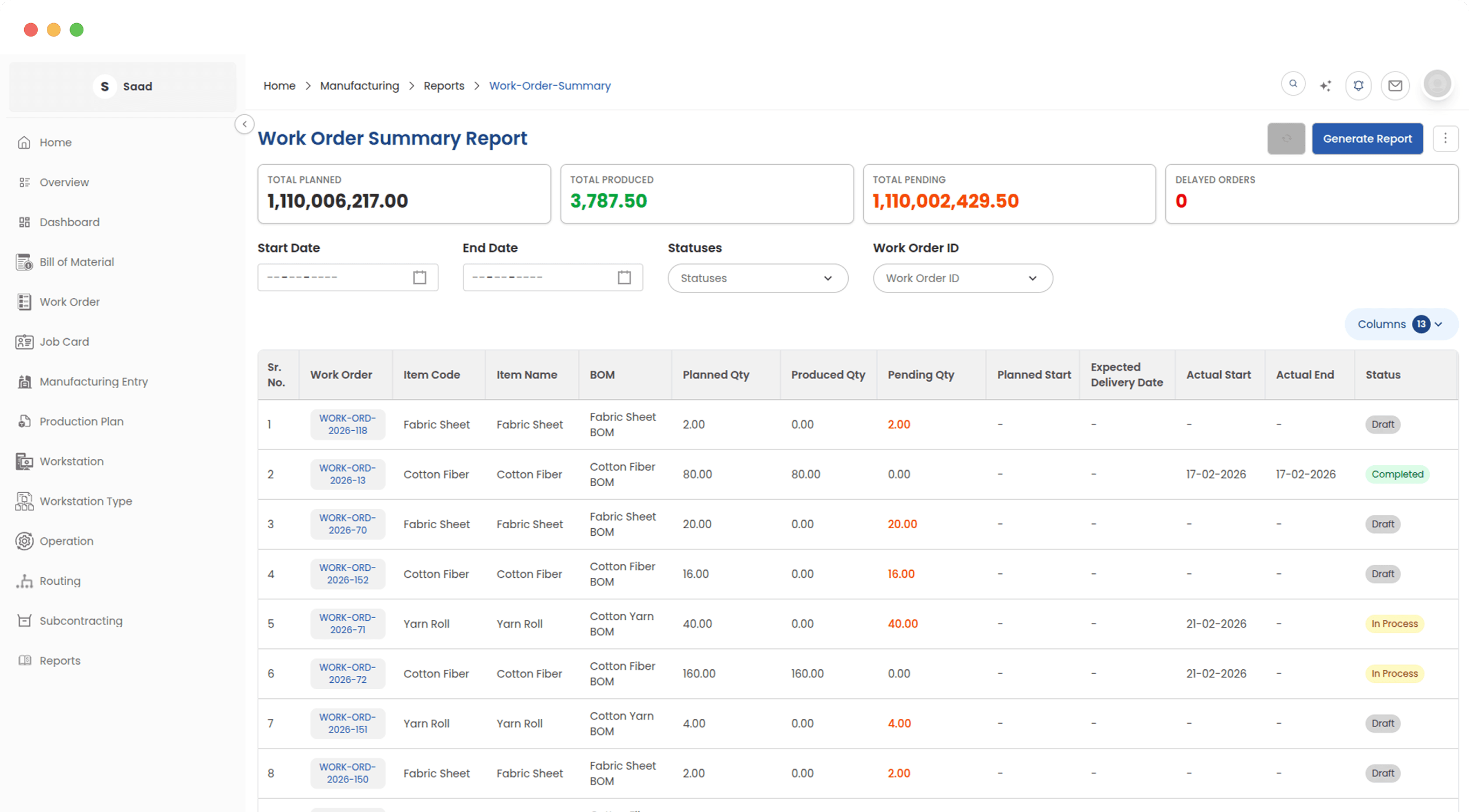
Know where every production job stands
The Work Order Summary gives managers an instant read on production across the entire facility. See which jobs are on track, which are behind schedule, and which have already missed their delivery dates without opening individual work orders or asking the shop floor for status updates.
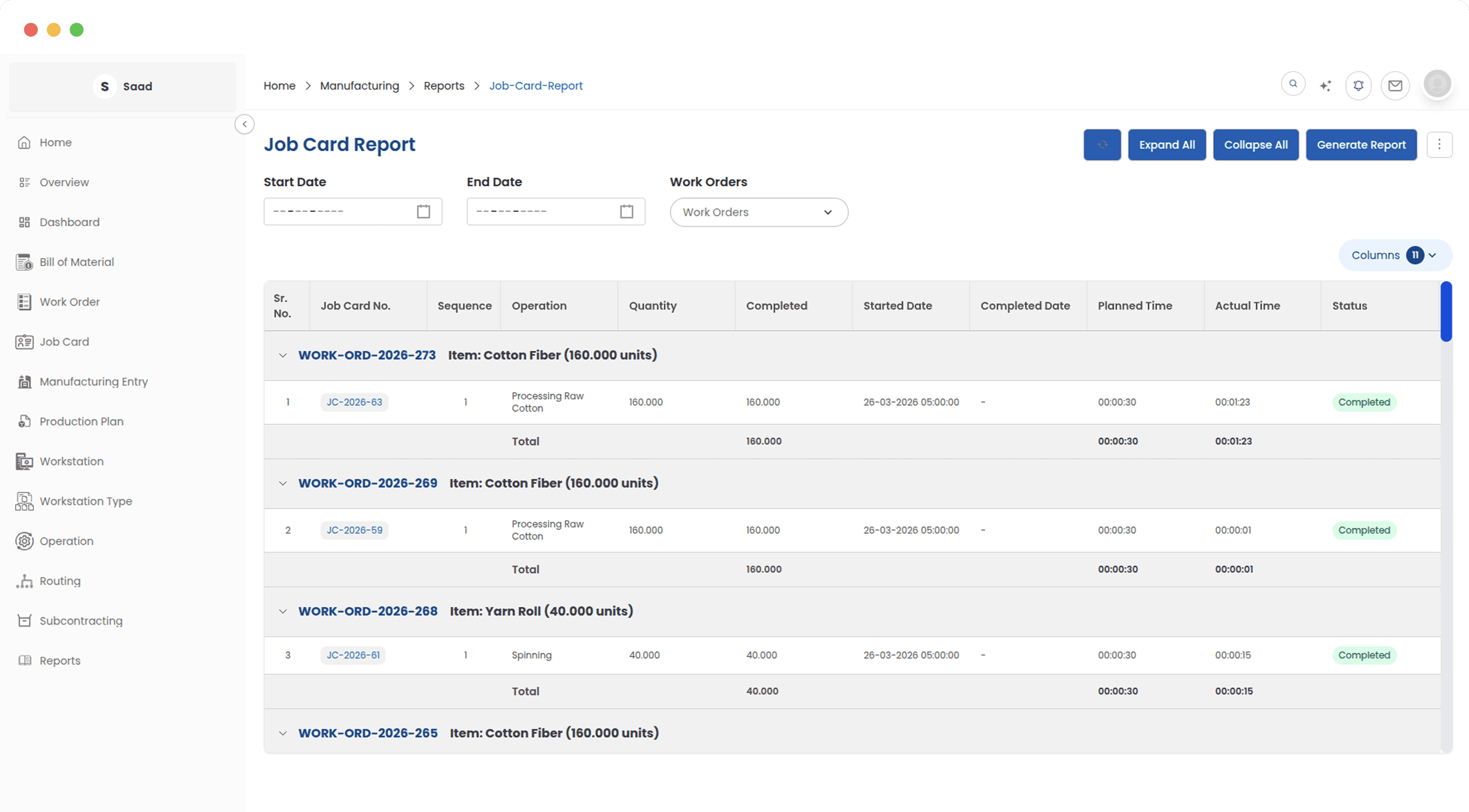
See every shop floor task in one filterable view
The Job Card Report gives shift supervisors and production managers a complete list of every task on the shop floor who it is assigned to, how far along it is, and whether it finished on time. It is the go-to report for day-to-day task oversight when the Kanban board needs to be reviewed in list form or exported.
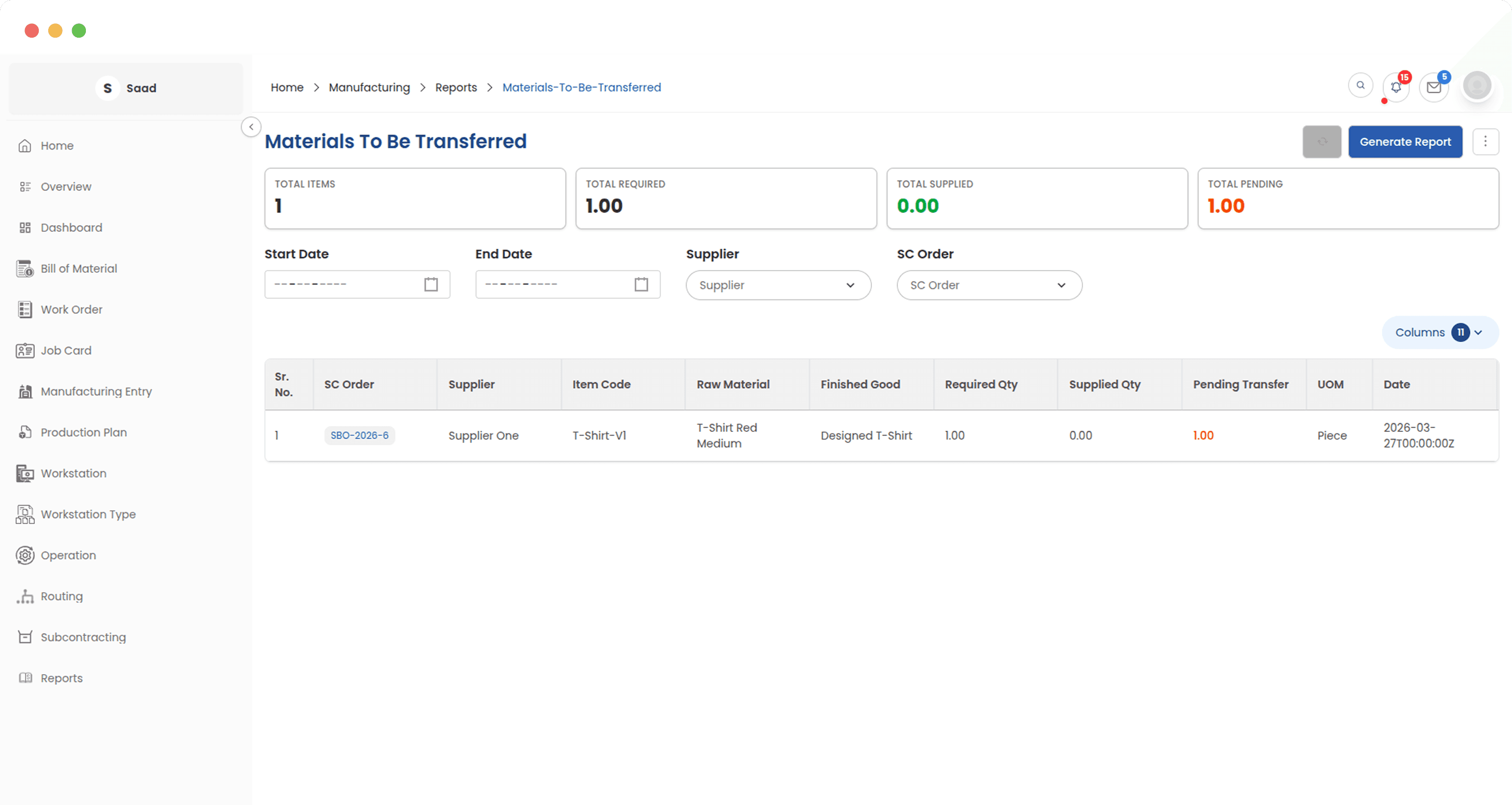
See exactly which materials still need to leave the warehouse
The Materials to Be Transferred report lists every raw material that is required for open subcontracting orders but has not yet been sent to the job worker. Warehouse and logistics teams use this report to prioritise outbound transfers and ensure that job workers are never waiting on materials that are already on-site.
Track which finished goods are still pending from job workers
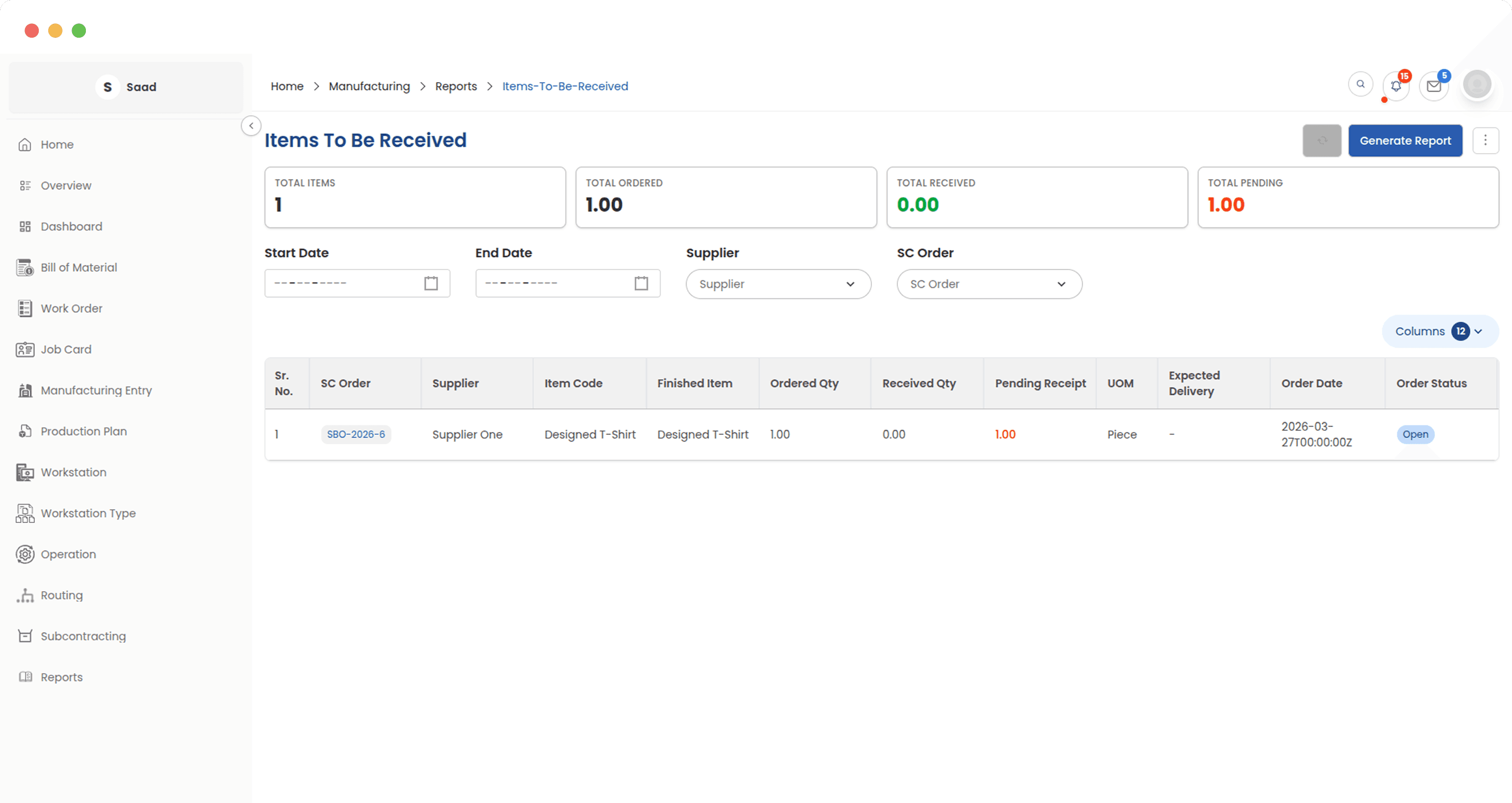
The Items to Be Received report shows everything that has been sent out to subcontractors but not yet returned as finished goods. Purchasing and receiving teams use it to follow up on outstanding deliveries, prevent unexpected inventory gaps, and ensure subcontracting receipts are processed without delay.
Confirm material readiness before committing to production
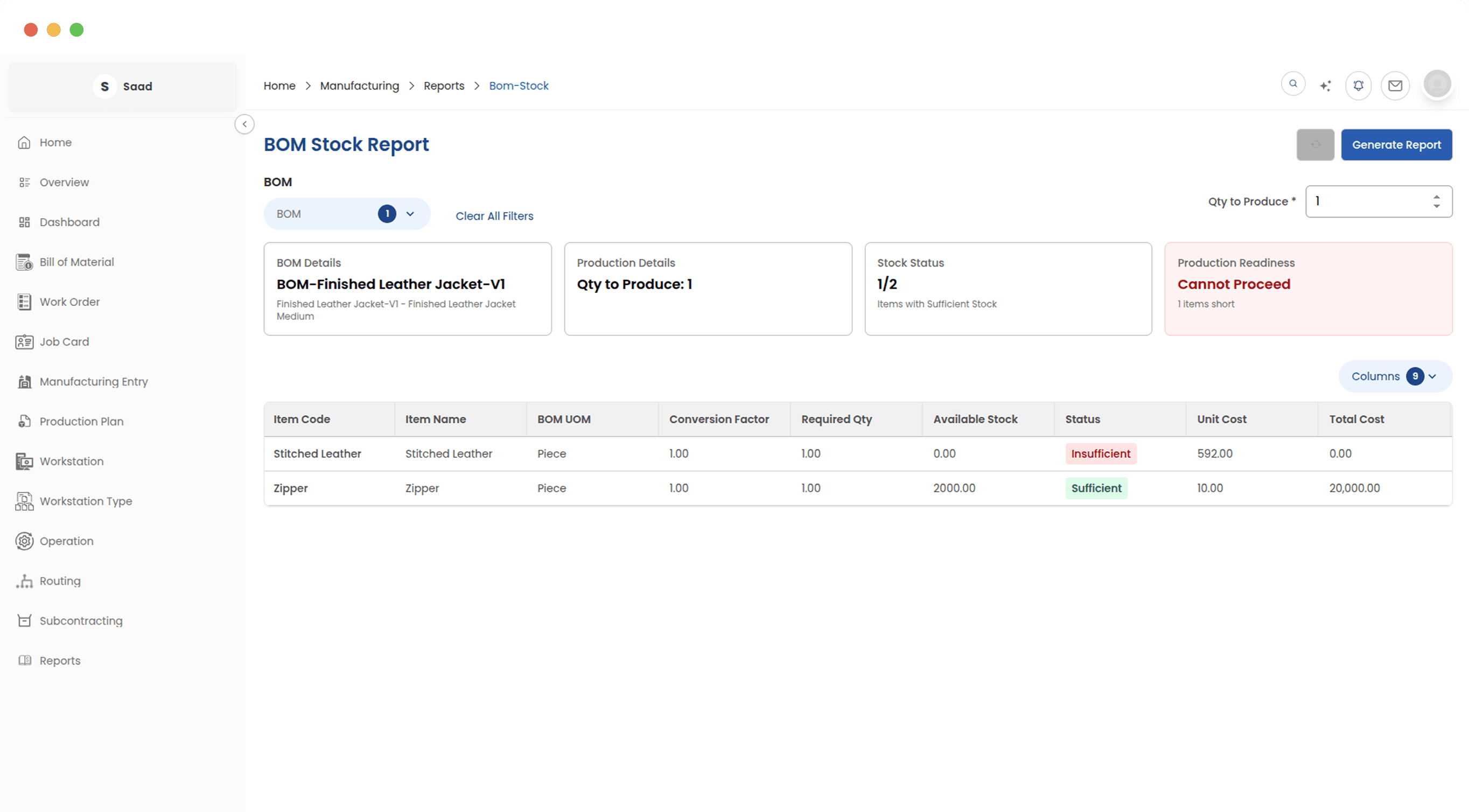
The BOM Stock Report answers the essential pre-production question: do we have everything we need? Select any approved BOM and target production quantity, and the report instantly checks current stock levels against every raw material required surfacing shortages before a single work order is raised.
See every employee's production schedule in one view
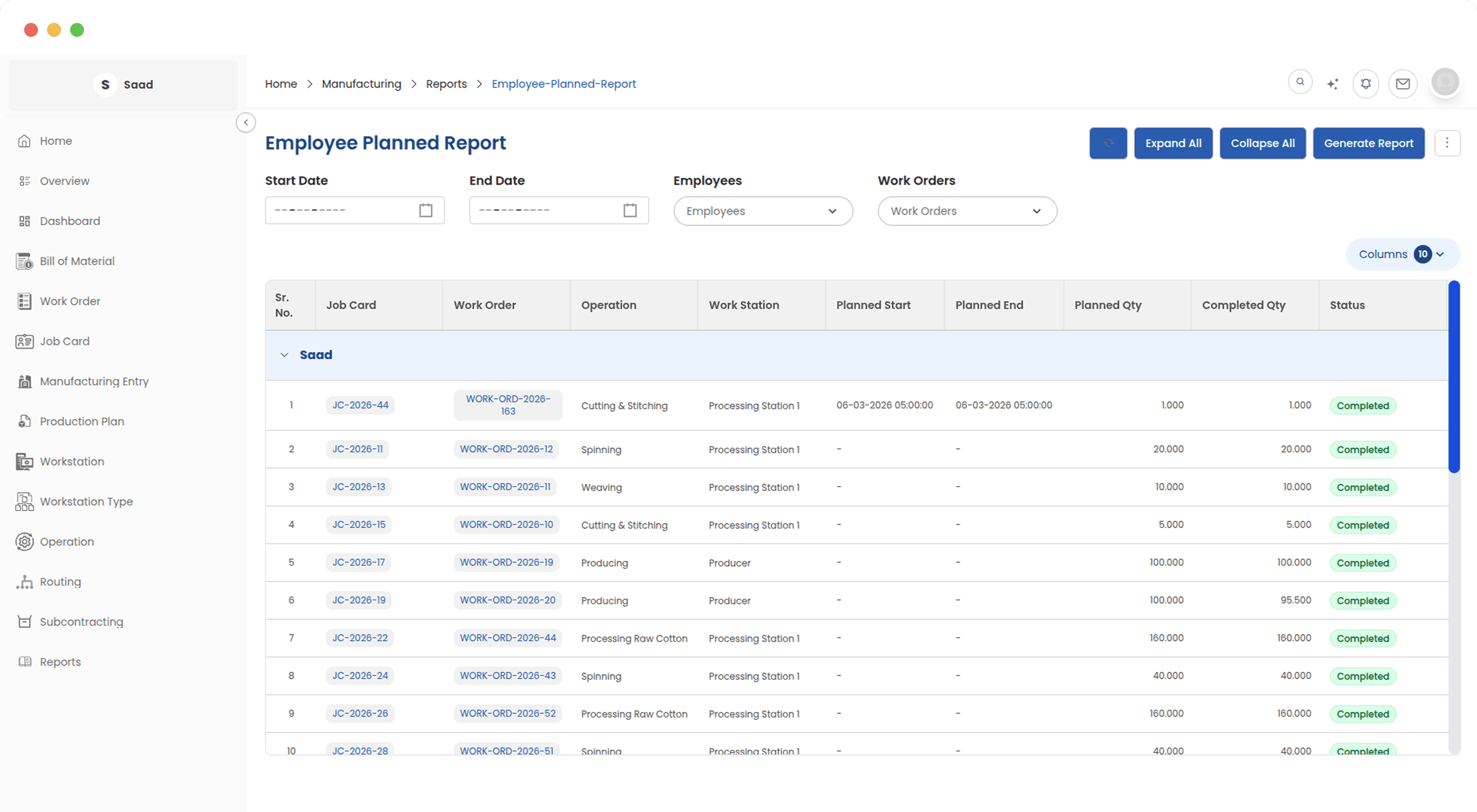
The Employee Planned Report organises job cards by the employees assigned to them, ordered by their expected start and end times. Supervisors and production planners use it to review scheduled workloads, identify gaps or overloads across the workforce, and confirm that every shift is properly staffed before the day begins.
Understand how operations are scheduled across your shop floor
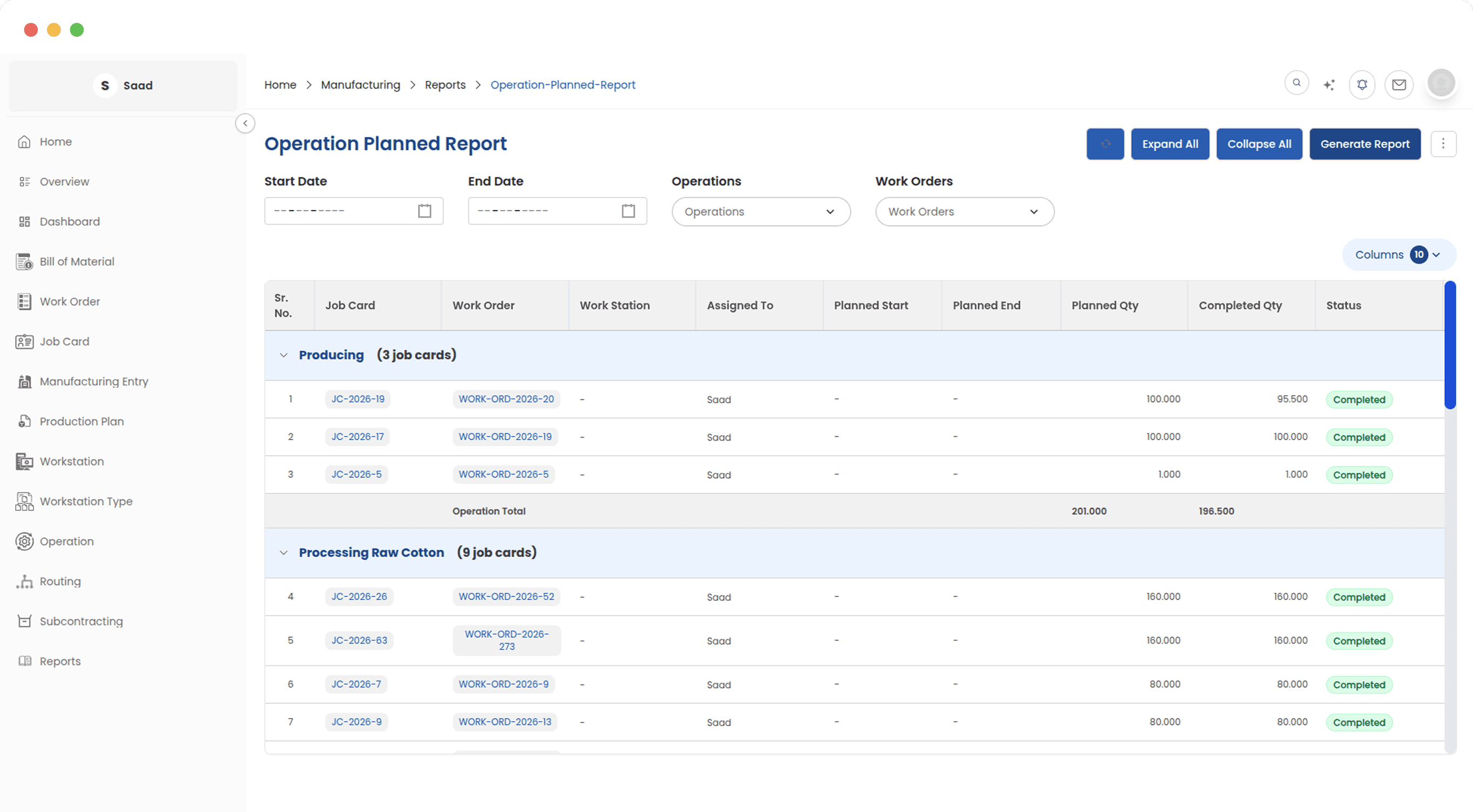
The Operation Planned Report provides a schedule-level view of all production tasks, showing when each operation is planned to run, which workstation it is assigned to, and how it compares to what actually happened. Production planners use it to assess workstation load, spot scheduling conflicts, and calibrate future production plans based on real operation durations.
Measure what your team produces, not just how long they work
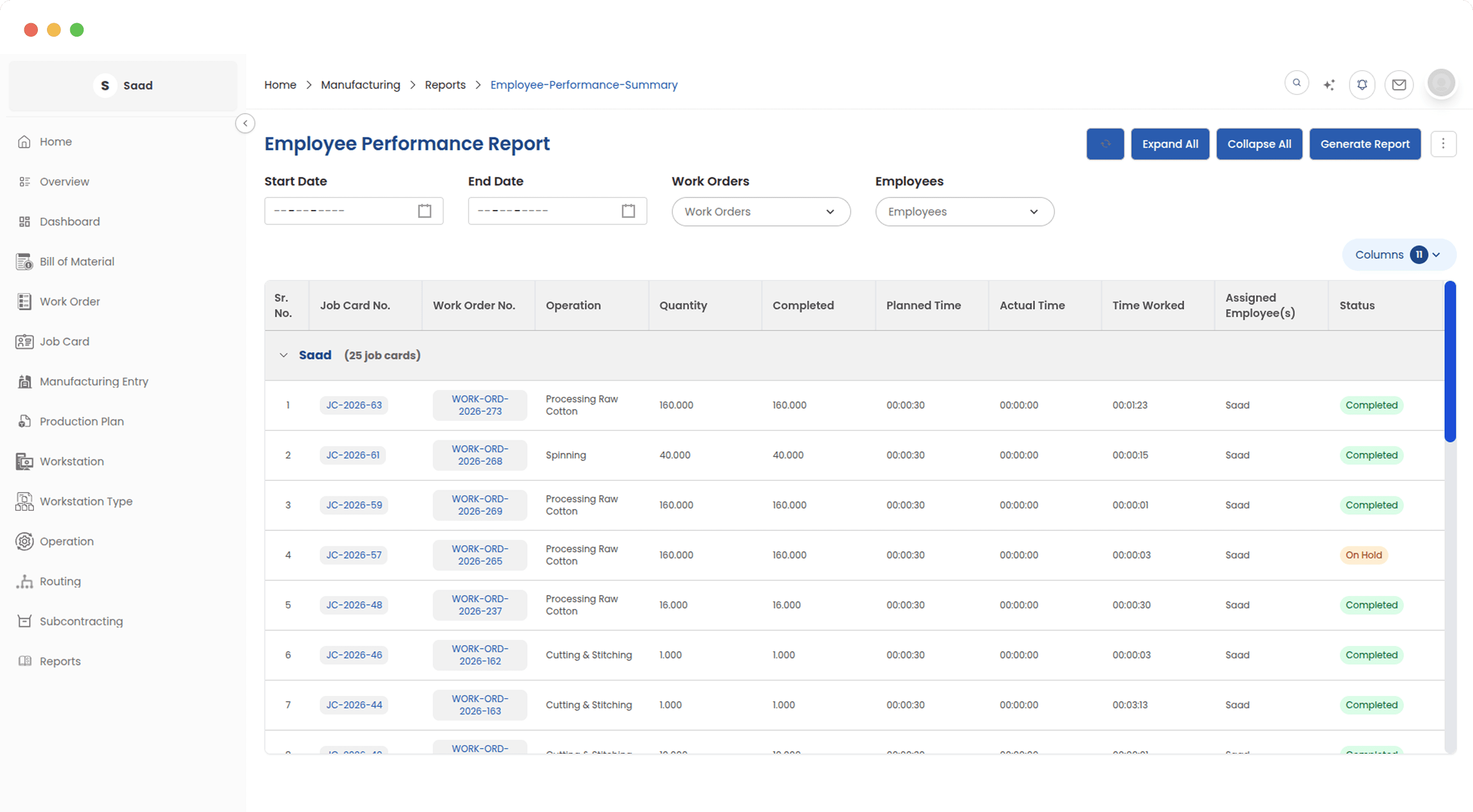
The Employee Performance Report groups completed job card results by operator, showing output quantities, planned time, actual time, and the specific time each employee logged. It gives supervisors an objective basis for performance reviews and helps identify where operators need additional support or training.
See total production output grouped by finished good
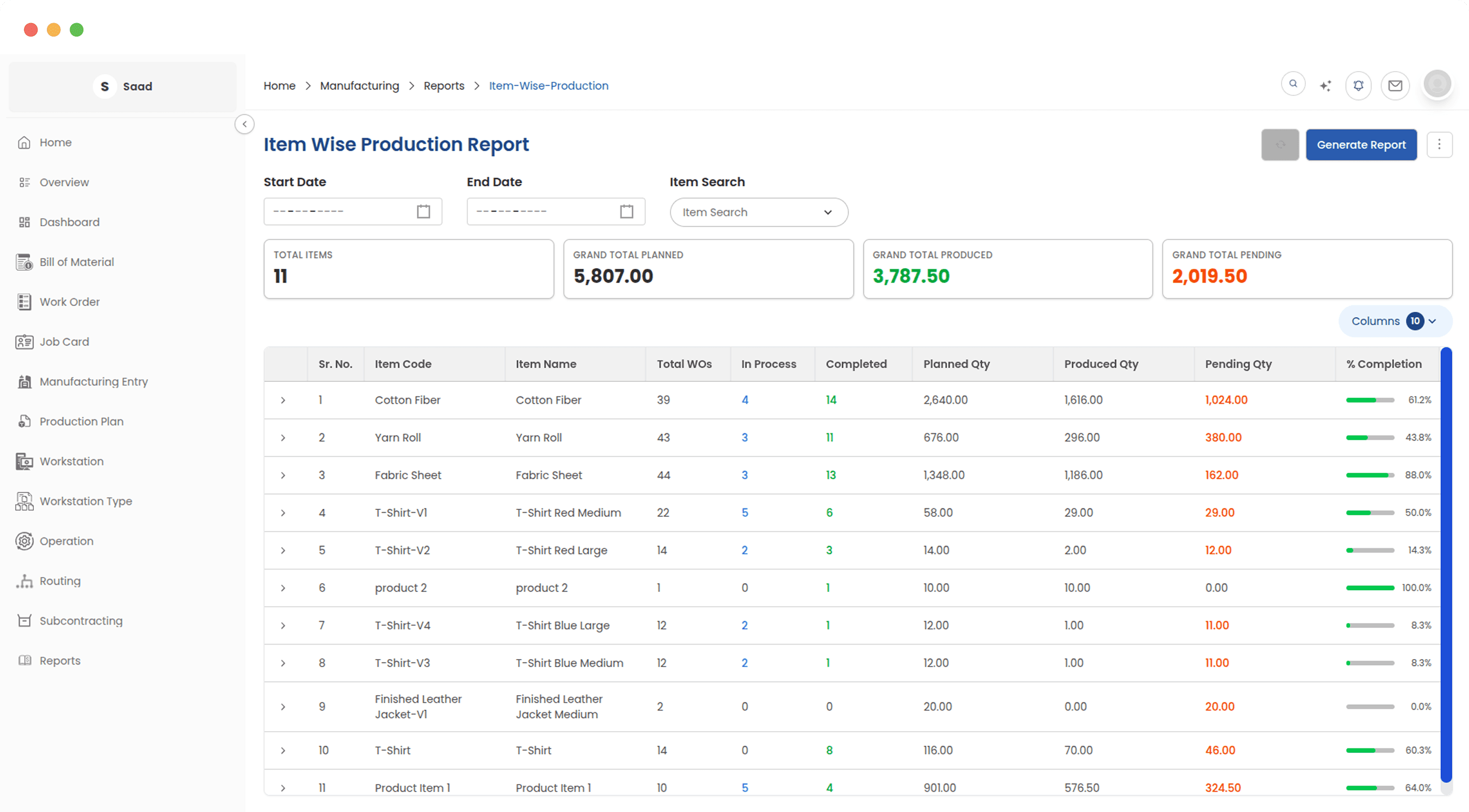
The Item Wise Production Report aggregates quantities across all work orders and groups the results by manufactured item. Production managers and planners use it to review how many units of each product were produced over any period. A direct input to demand forecasting, inventory management, and production target setting.
Find the operations that are holding production back
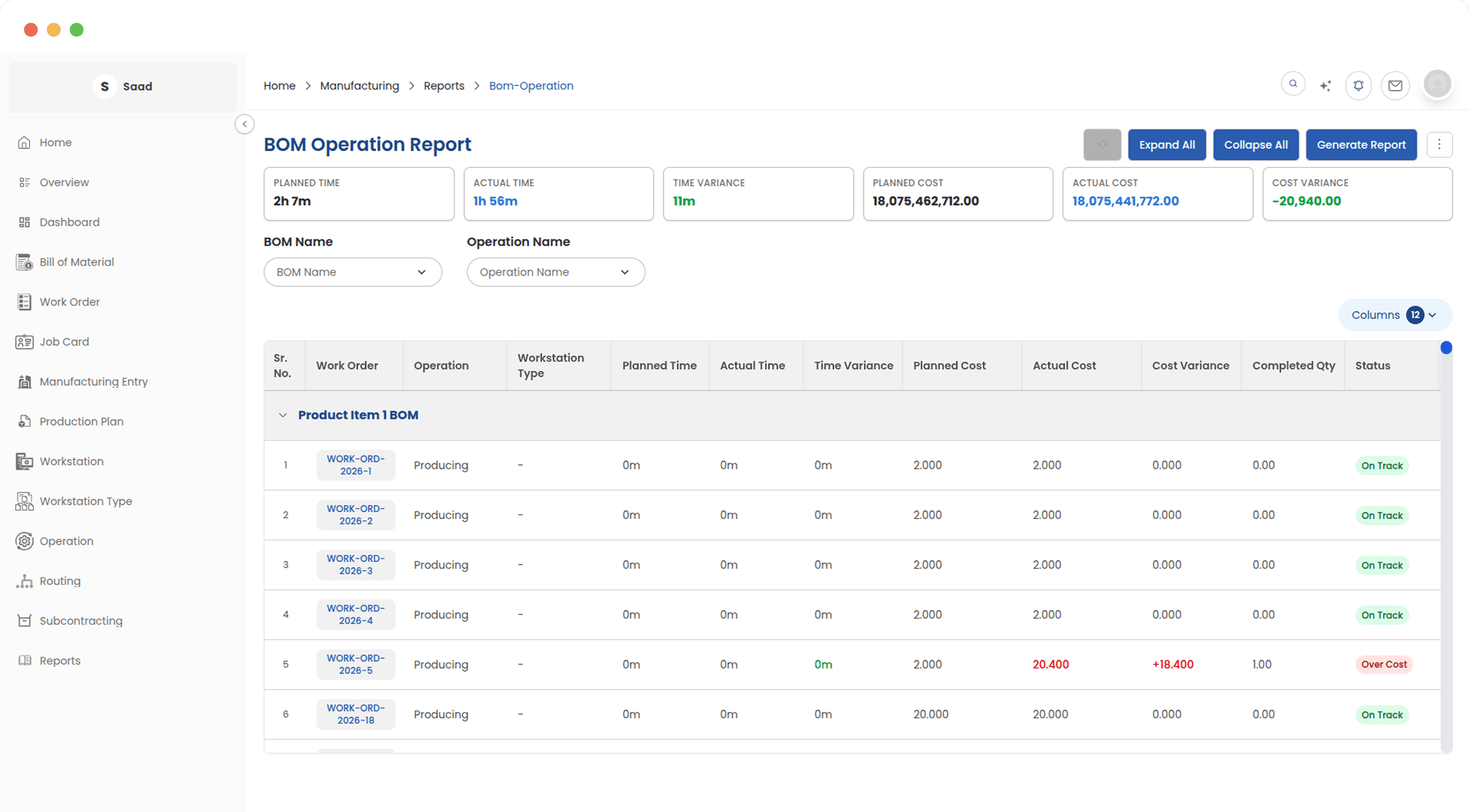
The BOM Operation Report compares planned operation durations against actual times recorded through job cards, across every BOM and work order. Operations and workstations that consistently run longer than planned are ranked and surfaced as bottlenecks, giving production engineers clear, data-backed targets for process improvement.
Keep full visibility over every outsourced production engagement
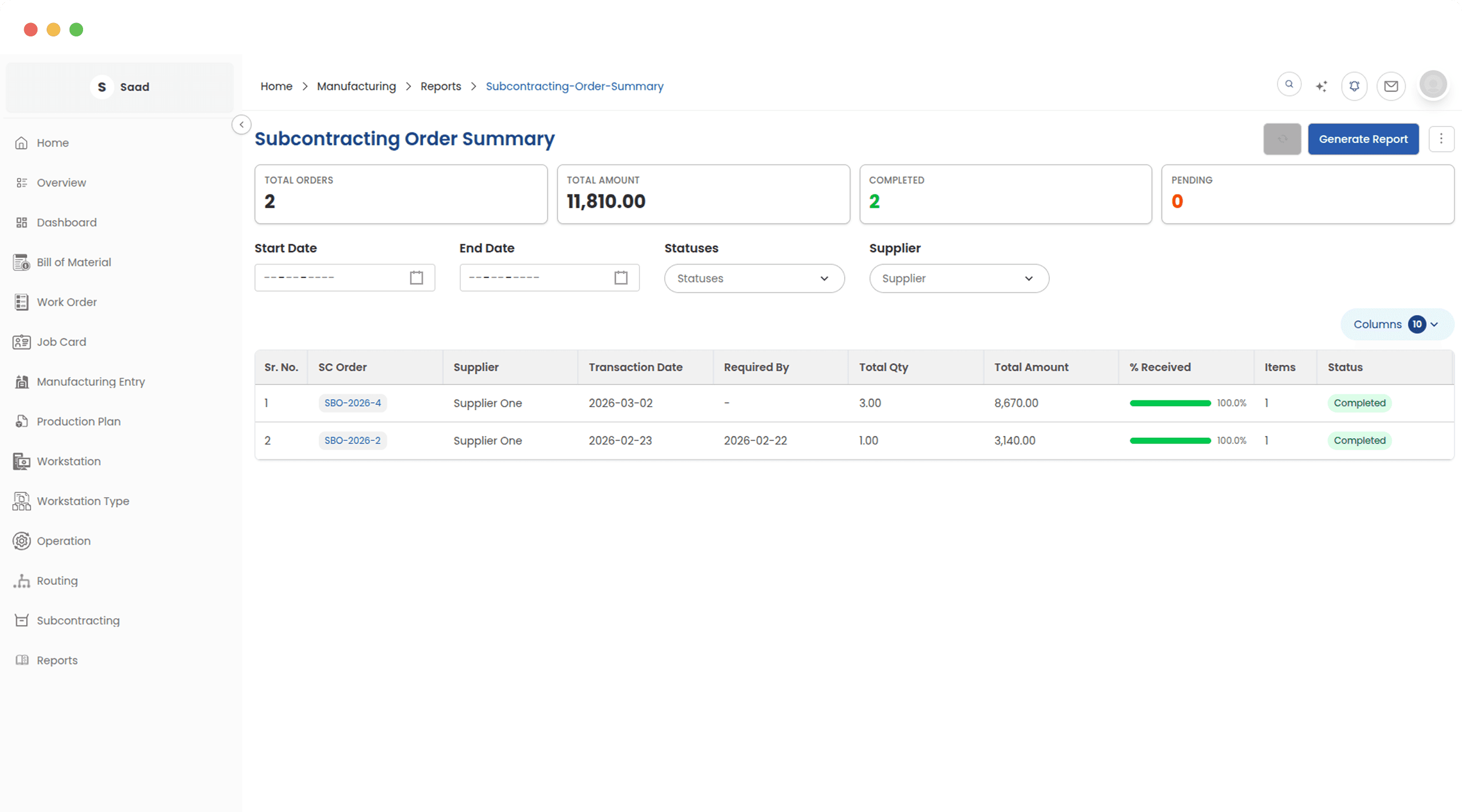
The Subcontracting Order Summary consolidates the status of all subcontracting orders in one report. Procurement and production teams can see what has been ordered, how much has been transferred to job workers, and what has been received without opening individual records for each supplier relationship.
Know the true cost of every unit you produce
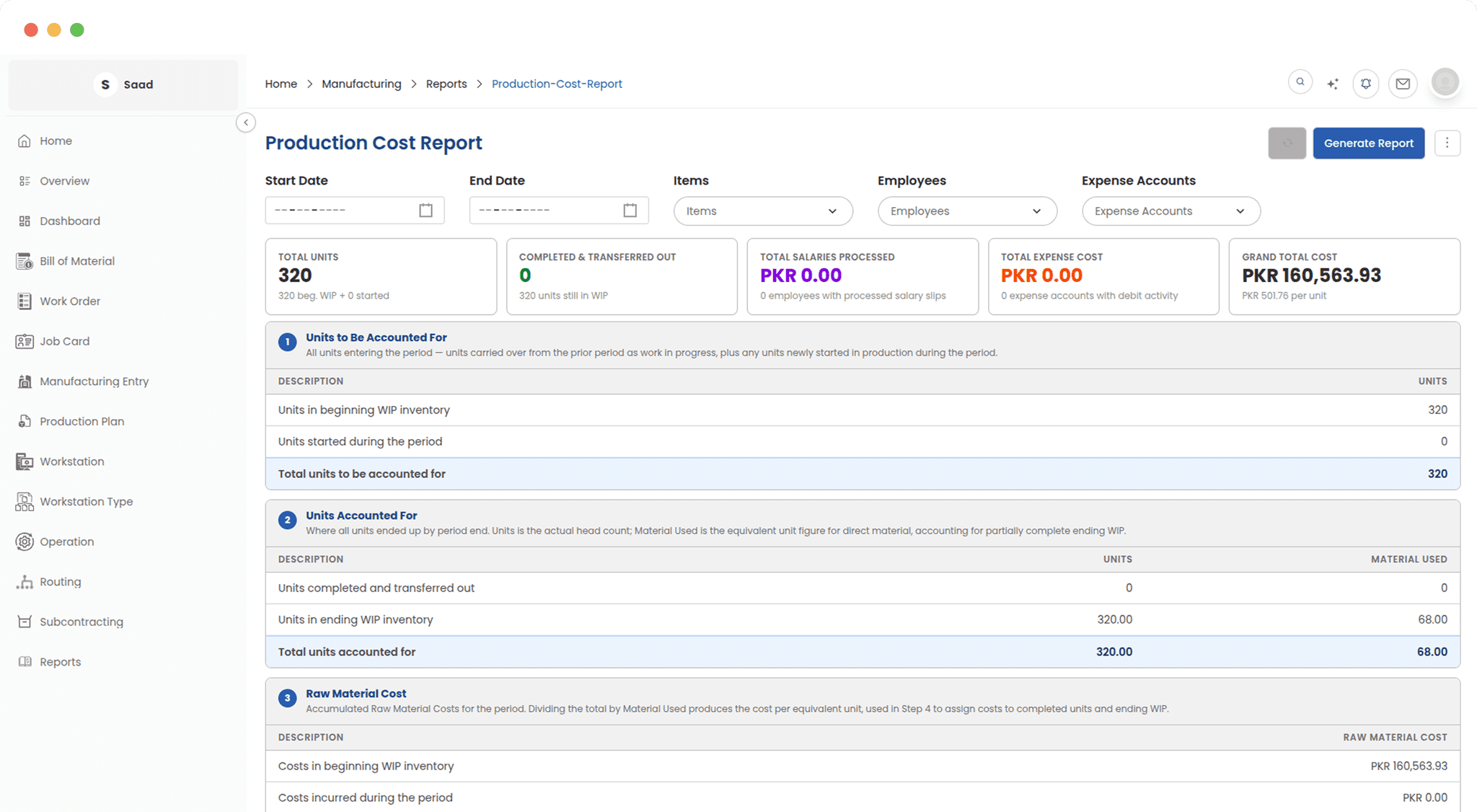
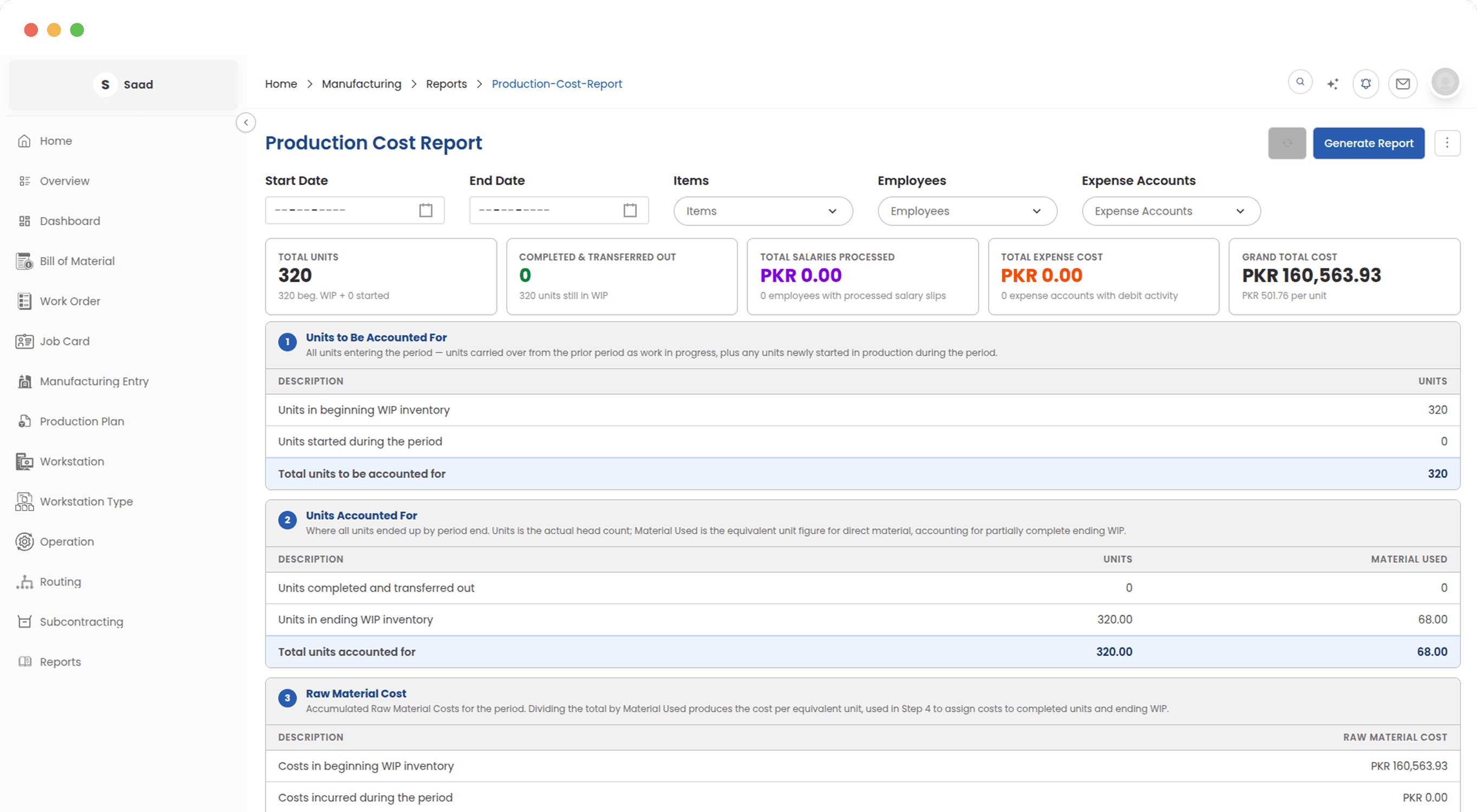
The Production Cost Report applies the Weighted Average process costing method to deliver a structured, period-based cost breakdown. Direct materials, direct labour, overhead costs by workstation, salary costs, and expense allocations are all combined into a single cost-per-unit figure that gives finance and operations a shared, accurate view of manufacturing profitability.
Every angle of your operation covered.
ERPX manufacturing reports are generated automatically from live operational data no manual exports, no spreadsheet reconciliation, and no delay between what happens on the shop floor and when management can act on it.
Explore More in Manufacturing
See how ERPX can transform your business
Streamline operations, boost productivity, and make smarter decisions with ERPX