
Comprehensive Customer Support & Service Management
Deliver exceptional customer service with streamlined ticket management, faster issue resolution, and complete visibility into every support request.
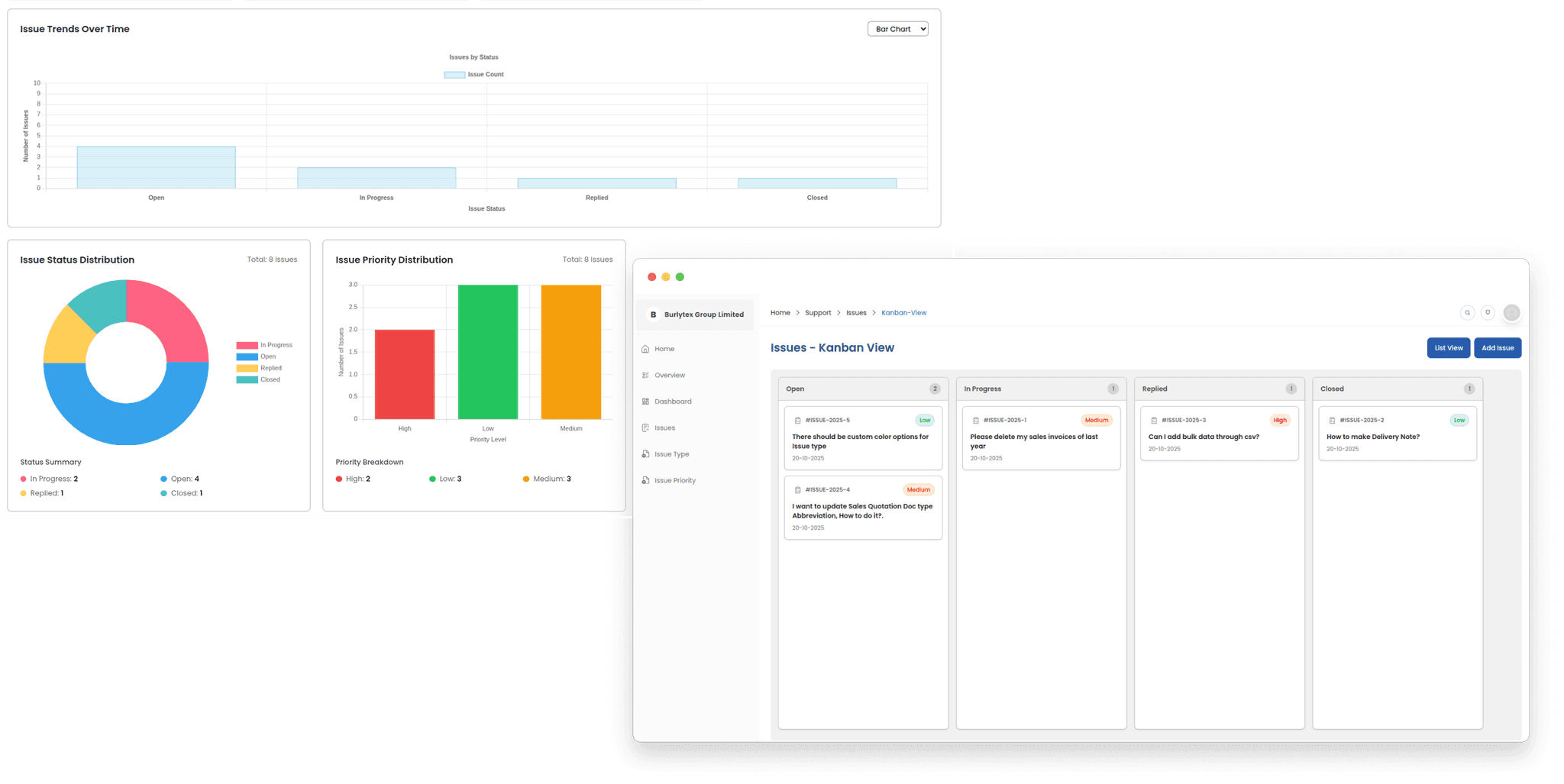
Visual Kanban Board for Ticket Management
Organize, prioritize, and resolve customer issues with an intuitive Kanban board view. Track every support request from creation to resolution with drag-and-drop simplicity. Visualize your workflow across customizable columns—New, In Progress, Pending, Resolved—and see your team's workload at a glance. Assign tickets to the right team members, set priority levels, and maintain a complete history of interactions. With status tracking, automated workflows, and real-time updates, ensure no customer request falls through the cracks.
Detailed List View for Issue Tracking
View tickets in a compact, sortable list for fast triage and bulk actions. The list view is perfect for power users who need to filter, sort, and perform mass updates across many tickets. See key fields at a glance: status, priority, assignee, created date, SLA, and related order or product information.
Custom Priorities & Issue Types
Define your own priority levels and issue types to match your support workflows. Create custom fields, map priorities to SLA timers, and use issue types to route tickets to the right teams (e.g., Billing, Technical, Shipping). This ensures faster resolution and consistent categorization across your organization.
See how ERPX can transform your business
Streamline operations, boost productivity, and make smarter decisions with ERPX